How to run a giveaway and pick a winner from comments
A post link. A few clicks. A winner. Random comment picker for Instagram, Facebook, TikTok and YouTube.
How it works: from post link to winner
No spreadsheets, no endless scrolling, no picking a name out of a hat. You paste the link — WhosePrize does the rest.
Step 1
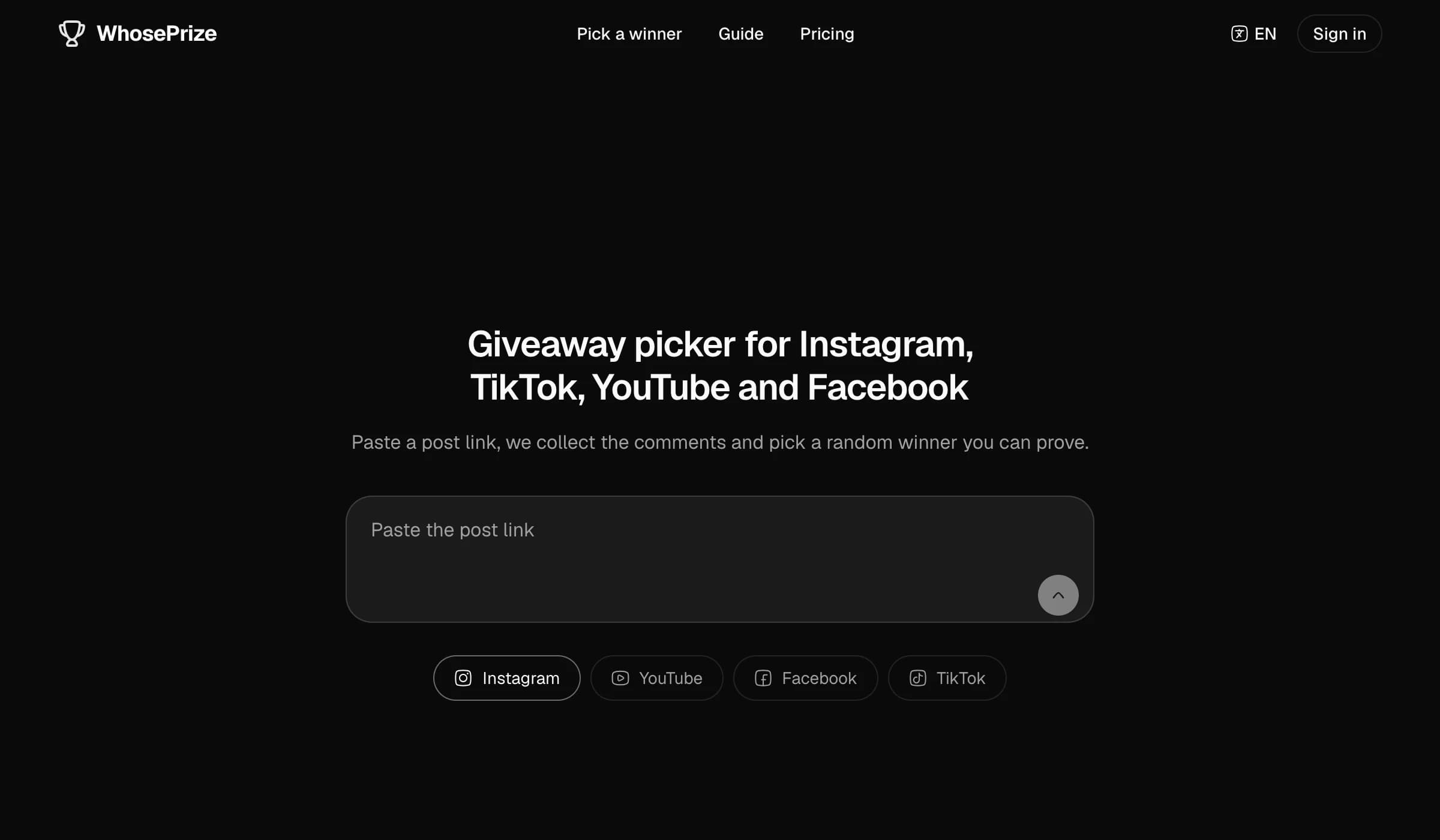
Paste the post link
Open WhosePrize. The home page has a single field — “Paste the post link”. Paste the link to your giveaway post there and press the arrow.
Below the field you'll see Instagram, YouTube, Facebook and TikTok — all four are supported.
Not sure where to get the link? See “Where to find the post link”.
Step 2
Sign in
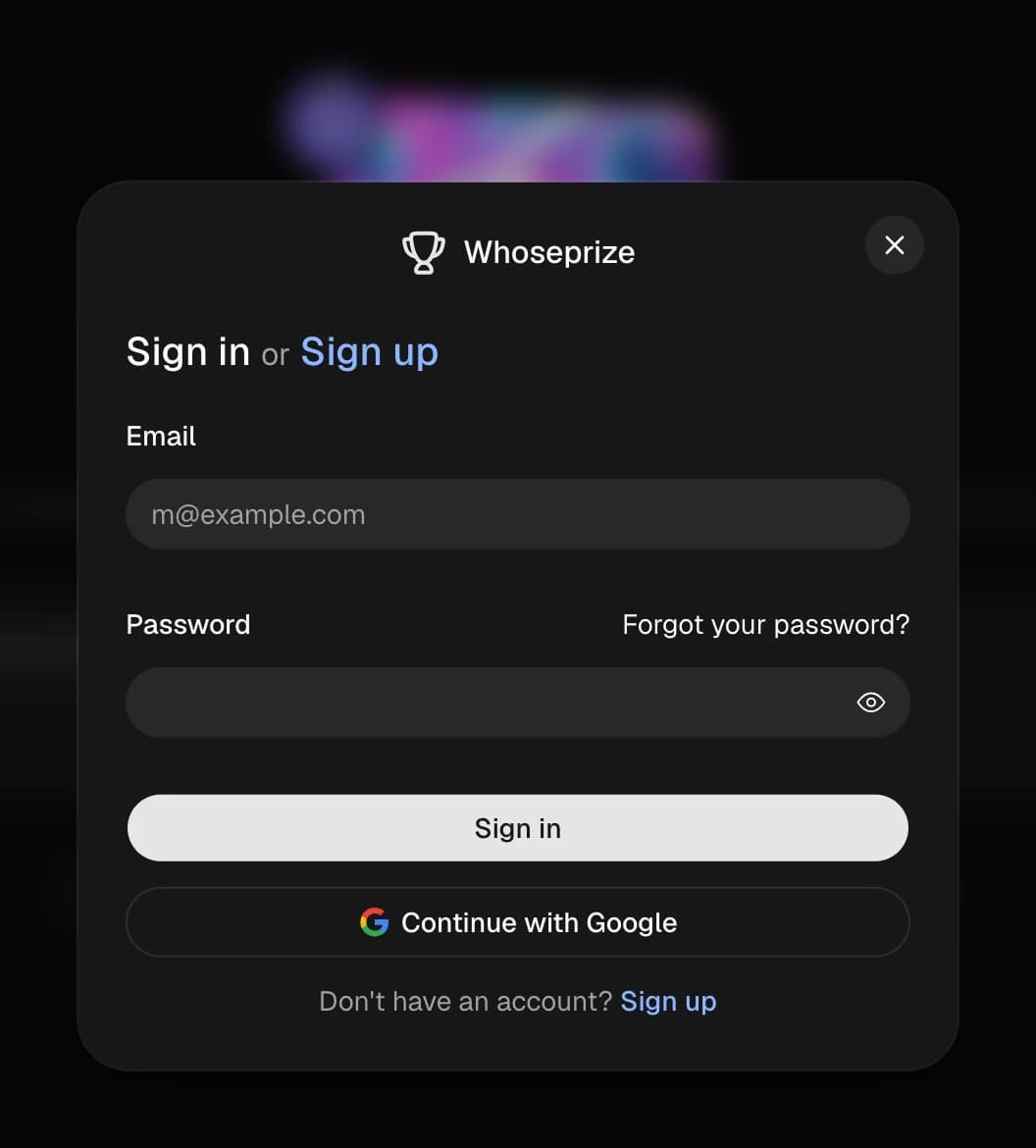
If you're not signed in yet, a sign-in window appears. Pick whichever is easier:
- Continue with Google — one click, no forms to fill in;
- email and password — click “Sign up” if it's your first time.
Step 3
Check the post and click “Pick a winner”
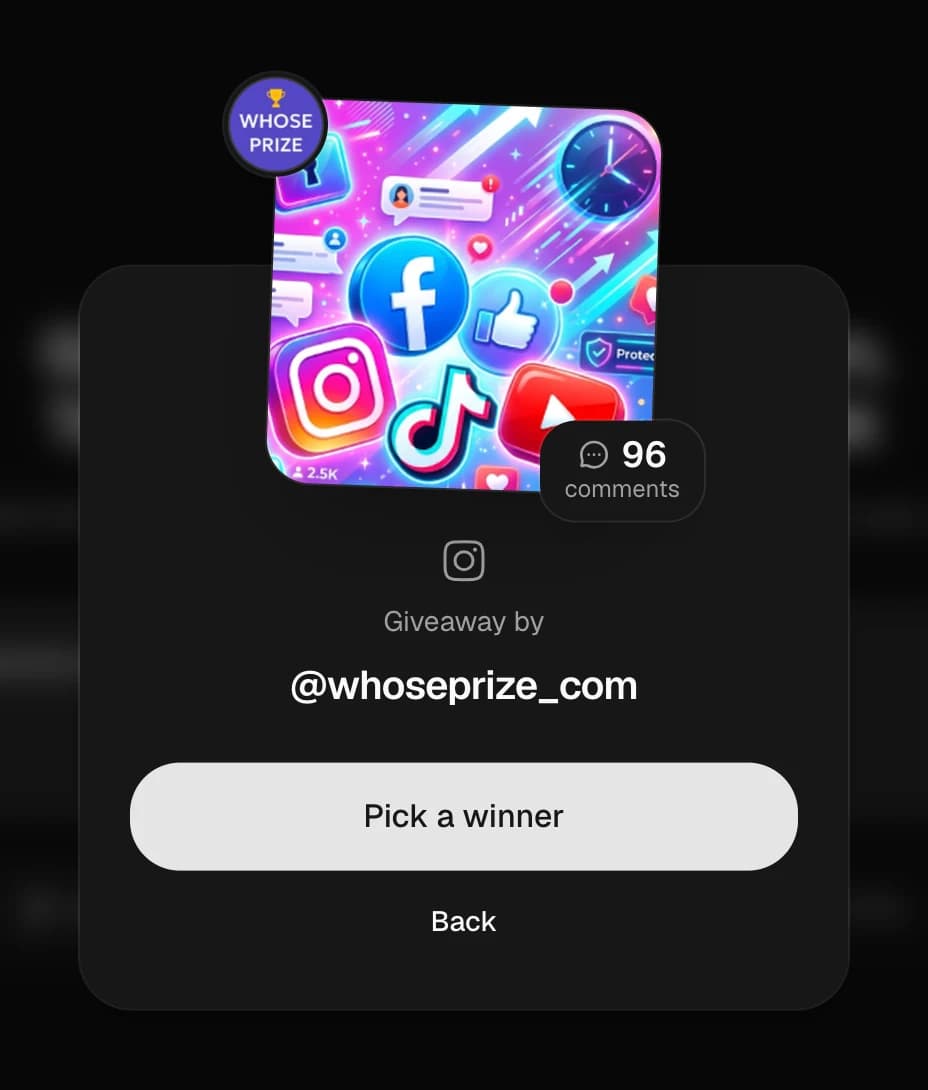
You'll see your post's card: the cover, the author (“Giveaway by @your_account”), the network and the number of comments.
Make sure it's the right post and click Pick a winner. Wrong one? “Back” takes you to the start.
Step 4
Wait while the comments are collected
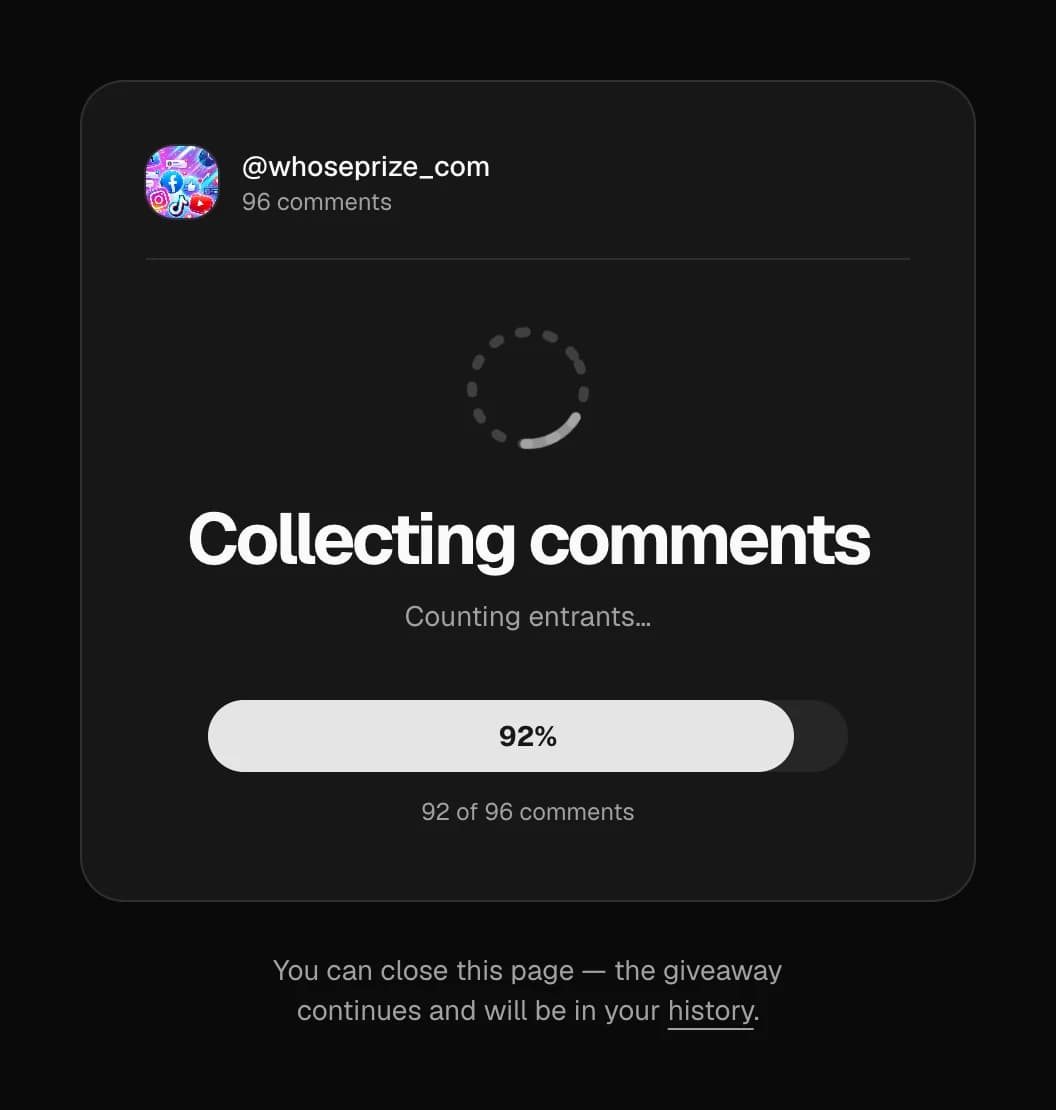
You'll see “Collecting comments” and a progress bar showing how many comments are in and how many there are in total.
You can close the page — the giveaway keeps running and the result is saved to your account's history.
Step 5
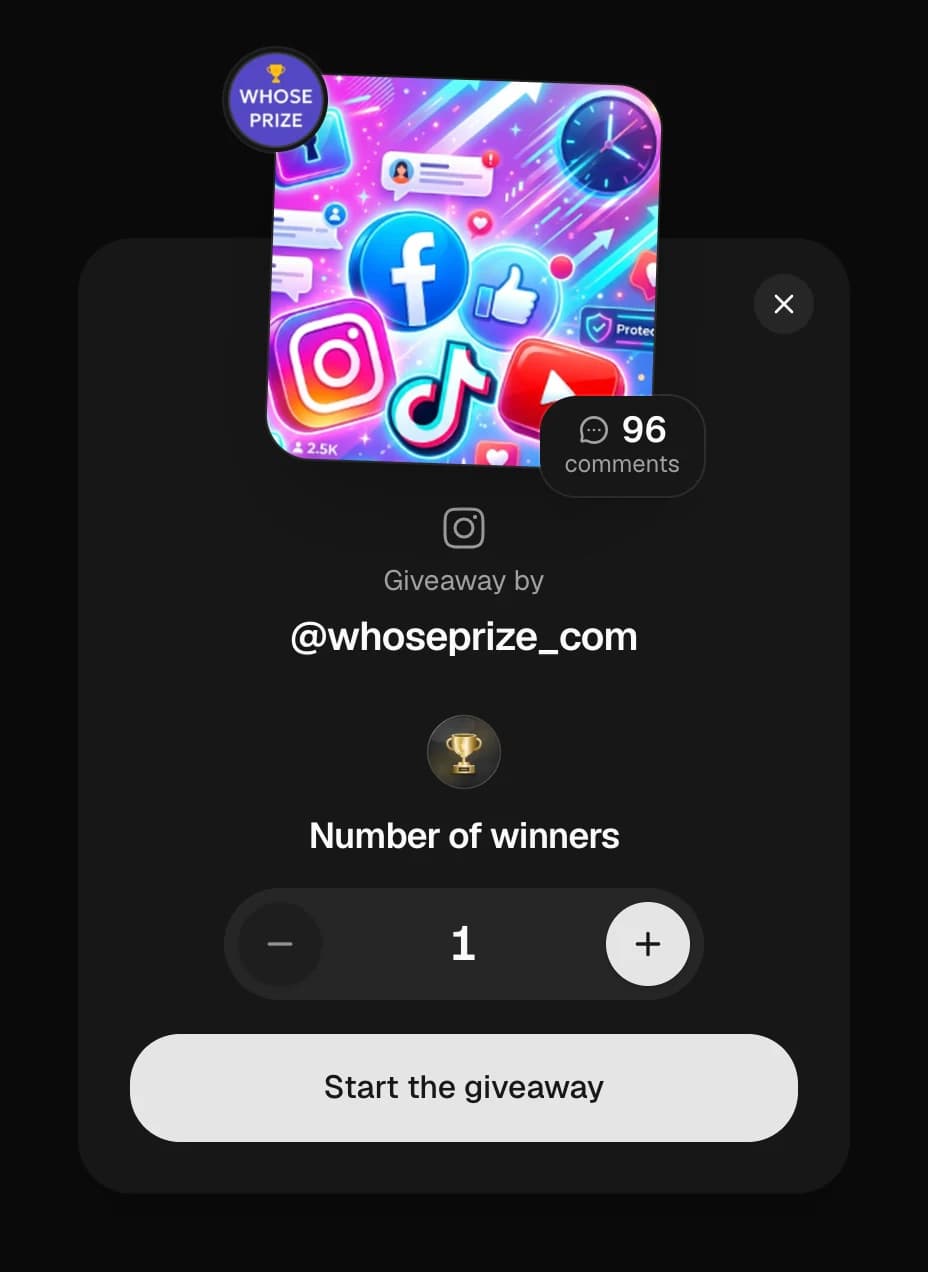
Choose the number of winners
Use − and + to set how many people win a prize. There's no limit: one winner or fifty.
Click Start the giveaway.
Step 6
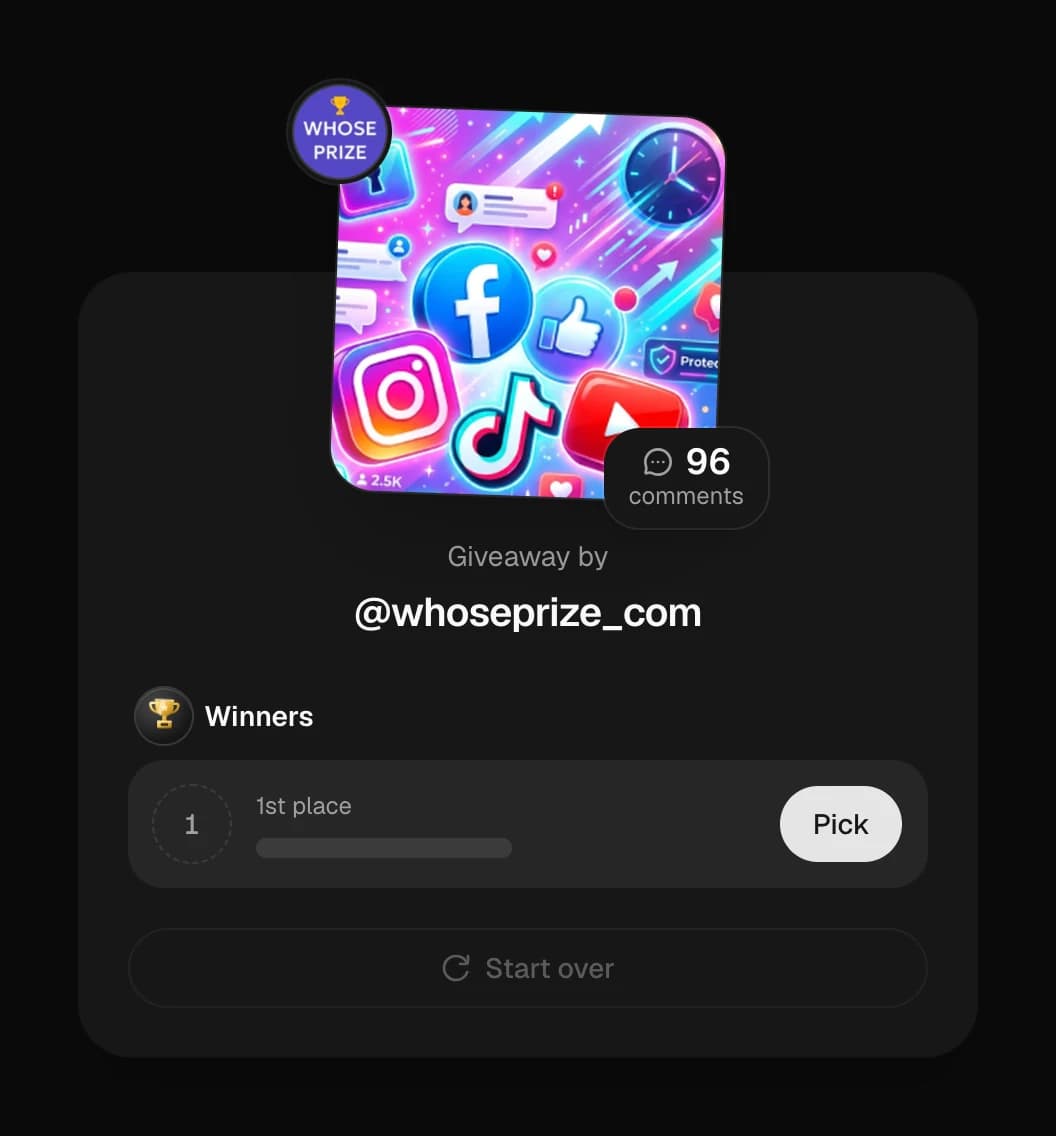
Pick your winners
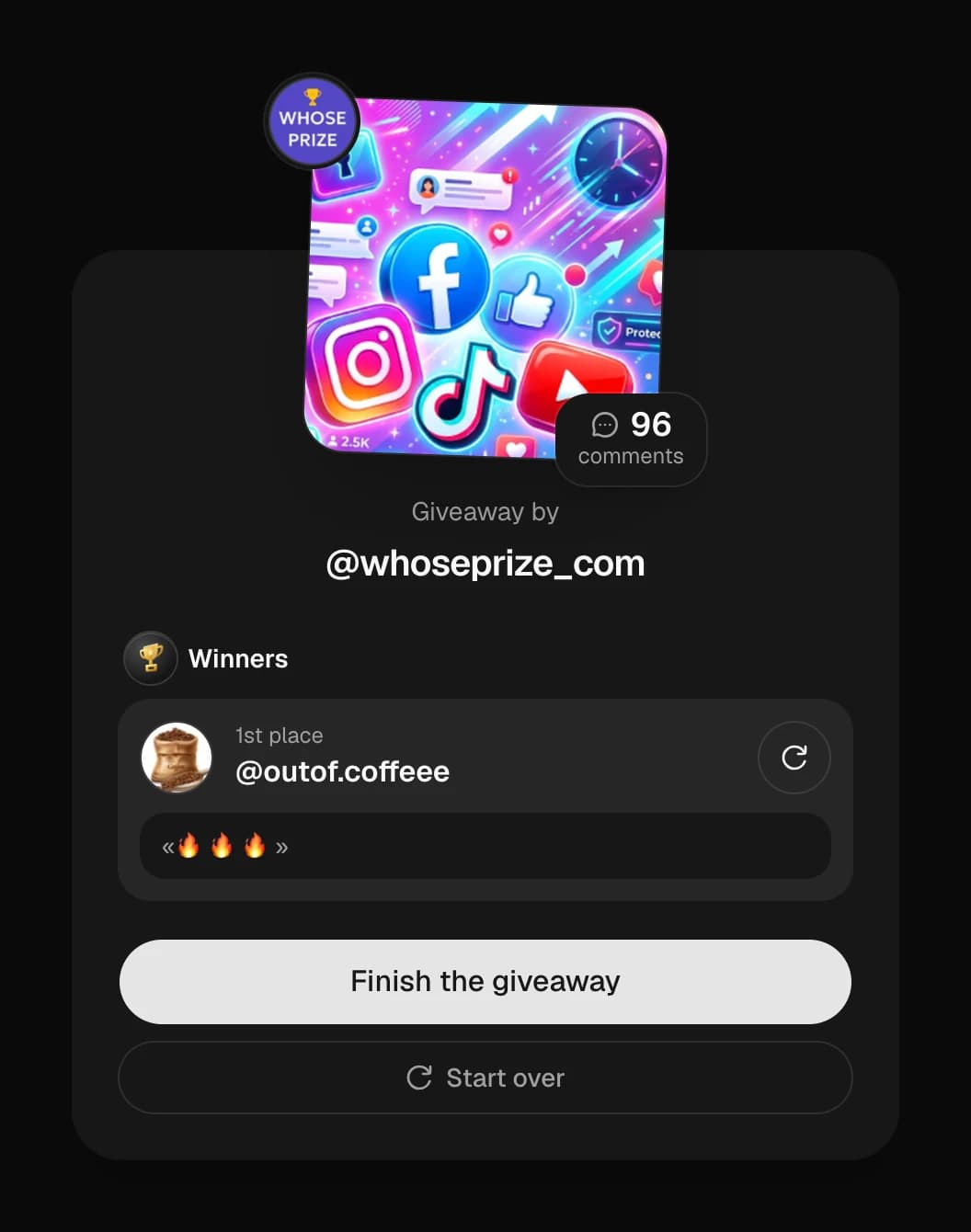
Every prize place has a Pick button. Click it and the picker chooses an entrant at random. You'll see their username, profile photo and the comment itself.
Winner didn't follow the rules? Click the re-pick icon ↻ next to them and a different person is drawn. You can do this as many times as you like.
Once the winners are picked, click Finish the giveaway. Want to start from scratch? Click Start over.
Step 7
Show the result to your followers
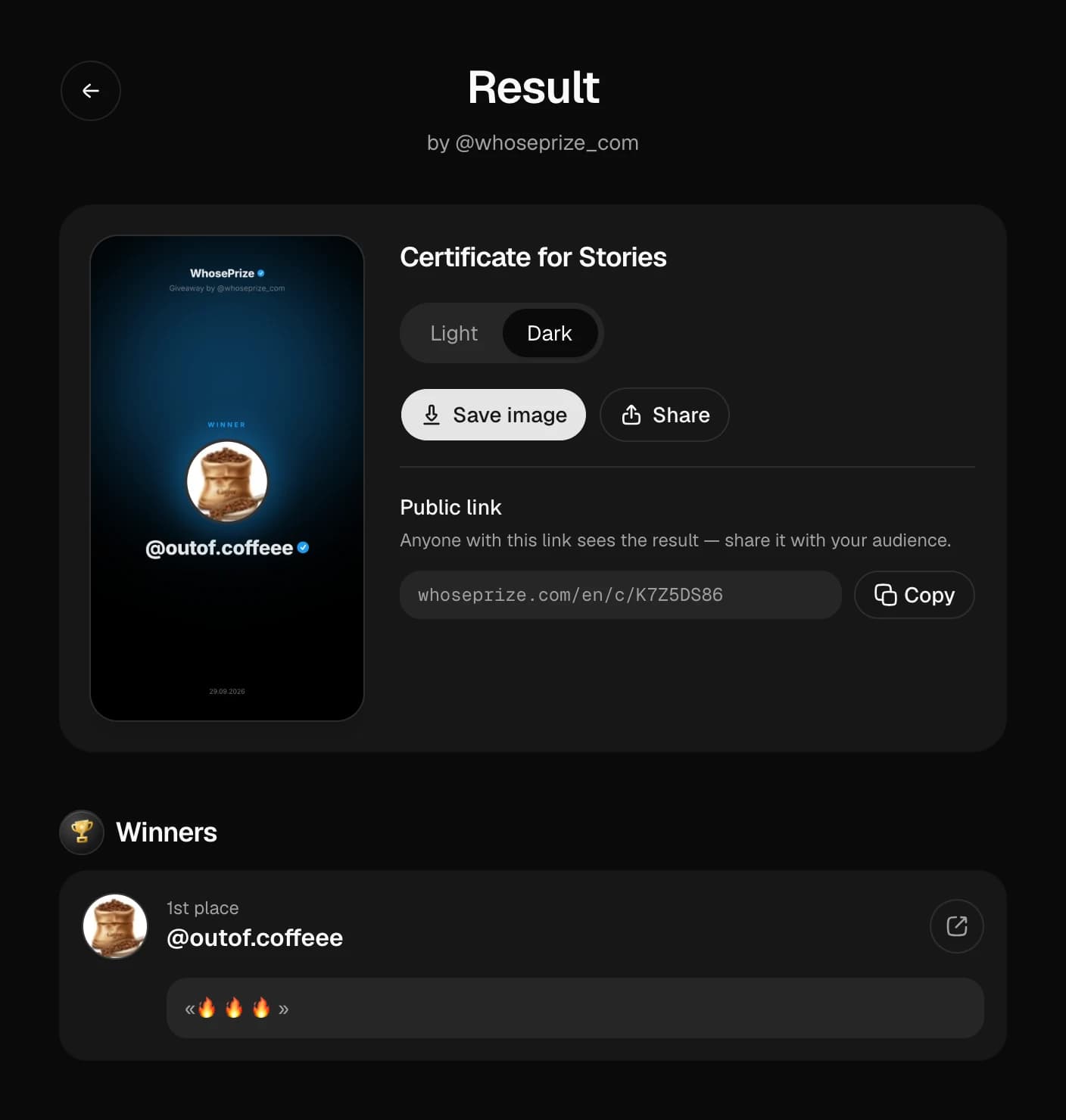
When you finish, the “Result” page opens:
- Certificate for Stories — a ready-made image with the winner. Choose the light or dark theme to match your profile.
- Save image — download the certificate to your phone or computer.
- Share — send it straight to a messenger or social network.
- Public link
whoseprize.com/en/c/…— anyone with it can see the result. Click “Copy” and add it to your Stories or post. - Winners list — with a link to each winner's profile, so you can message them quickly.
Where to find the post link on each network
Instagram comment picker
- Open your giveaway post, carousel or Reel.
- Tap “Share” (the paper plane).
- Choose “Copy link”.
- Paste it into WhosePrize.
Looks like: instagram.com/p/… or /reel/…
Facebook comment picker
- Open the post on your Page or profile.
- “Share” → “Copy link”.
- Paste the link into WhosePrize.
The post's audience must be set to “Public”.
TikTok giveaway picker
- Open your giveaway video.
- Tap the “Share” arrow → “Copy link”.
- Paste the link into WhosePrize.
YouTube comment picker
- Open the video or Short.
- “Share” → “Copy”.
- Paste the link into WhosePrize.
How to prove to your followers that the giveaway was fair
No more “is the winner your friend?” comments.
Truly random
An algorithm picks the winner, not a person. Nobody can influence the result.
Public link
Anyone can open the result and see the winner and their comment.
Certificate for Stories
With the date and the winner's username — post it right after the draw.
Spam protection
Spam comments are filtered out, so real people take part.
Permanent history
Every giveaway and its winners stay saved in your account.
Screen-record the draw and post the video to your Stories together with the certificate — your followers see the whole process.
How much the WhosePrize giveaway picker costs
Free
$0
Posts with up to 100 comments, unlimited giveaways. Perfect for trying it out or running a small giveaway.
Why creators choose WhosePrize
A service that grows with you.
Fast
From post link to winner in 2 minutes.
No limits
Any number of winners and re-picks.
Safe
No social media passwords needed.
Light and dark theme
The certificate matches the style of any profile.
Smart technology
We build WhosePrize with the help of AI technology — the service gets faster, more accurate and easier to use with every update.
Always improving
New features and platforms arrive regularly. We listen to our users.
In short: how to pick a giveaway winner with WhosePrize
WhosePrize is a random comment picker for giveaways on Instagram, Facebook, TikTok and YouTube. Copy the link to your giveaway post, paste it on whoseprize.com, sign in with Google or email, choose the number of winners and click “Start the giveaway”. The service collects every comment and picks the winners at random. You can show the result to your followers with a certificate for Stories and a public link to the giveaway. Free up to 100 comments.
- Networks
- Instagram, Facebook, TikTok, YouTube
- Time
- 2 minutes
- Sign-in
- Google or email
- Social media password
- Not needed
- Winners
- Unlimited
- Re-picks
- As many as you like
- Free
- Up to 100 comments
Frequently asked questions
Everything people usually ask before their first giveaway.
Run your first giveaway right now
Paste the post link — you'll have a winner in minutes.
Pick a winner for free